

The Hospital Management Android App is designed to streamline hospital operations, providing comprehensive features for managing patient records, notes, prescriptions, and more.
Below is a detailed description of the Doctor App.
Dashboard
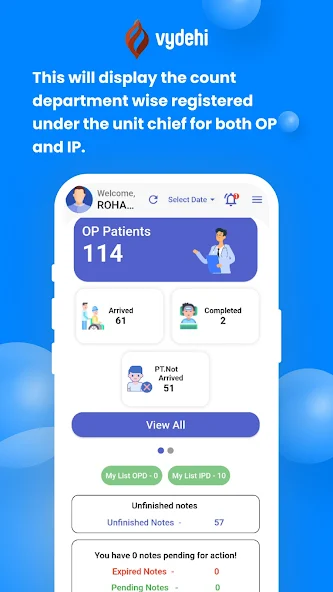
Department Counts Displays the count of patients registered under the unit chief for both OP and IP for that particular department.
View All Shows the count of complete patient list (both OP and IP).
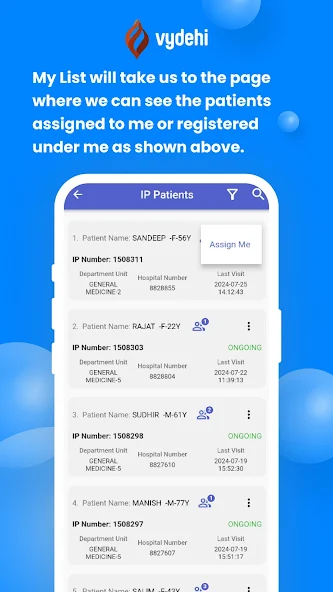
My List Displays patients assigned or registered under the user.
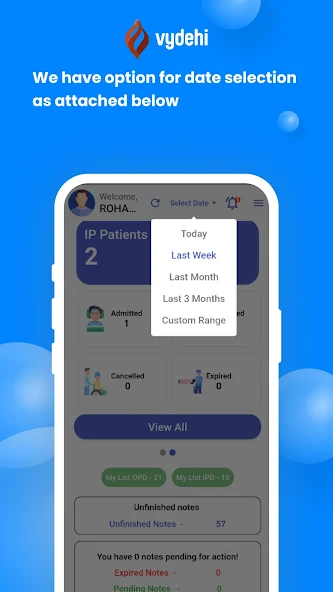
Date Selection Allows selecting specific dates for viewing patient data.
Patient Details :
Detail Screen: Access detailed patient information (demographic details like name , gender, age, etc) by clicking on the hospital number from list screen and change the patient arrival status to enter notes.
Cross Referral :
Referral Process: Allows referral to other departments or doctors without restrictions. For OP, the patient must visit MRD to pay before visiting the doctor(if consultation charges are applicable). For IP, the amount is deducted from the IP advance (the amount that was deposited during registration).
Notes Entry :
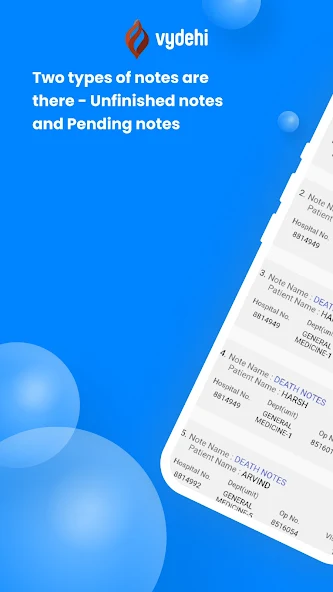
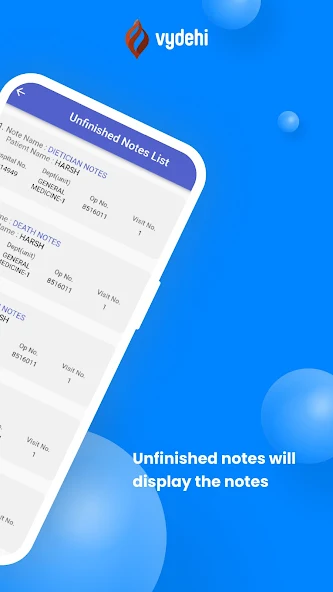
Templates: Doctors can enter notes using templates like History and Physical, Progress Record, Consultation Notes, OT Notes, Post-Operative, Death Notes, and Dietitian Notes.
Vital Signs: Vital signs entry with some mandatory fields include BP, Temperature, Pulse, and RR.
Save/Next and Delete Options: Options available for each tab with confirmation pop-ups for deletions with reason.
Document Upload: Upload documents and photos, view them, and delete with a reason.
Quick Links :
Lab Details: Add lab details to notes, highlighting critical results. Displays the latest 48-hour data.
Post Operative Notes
Tabs:
Each tab has individual delete options. Notes can be drafted, cleared, or signed.
Discharge Summary
Templates: Doctors can select and finalize discharge summary templates.
Visit Details :
This tab gives access to view the added notes and then edit them , copy and create or delete accordingly.
Investigation Screen :
Add Investigations: Doctors can add investigations based on patient condition and view details of indented procedures / investigations. Investigations by PG, IMO need confirmation by a doctor.
Prescription OP
Add Prescriptions: Doctors can add and view added prescriptions details based on patient condition.
Pharmacy IP
Manage Pharmacy: Doctors can add and manage pharmacy orders. Investigations by PG, IMO need confirmation by a doctor.
Order History :
Order Management: Displays investigation, pharmacy, diet plan, and blood request lists with details. Doctors can reorder and cancel any placed orders with some validations.
Lab Results :
Lab Data: Displays lab result details with critical results highlighted in red colour (both high and low).
Drug Administration
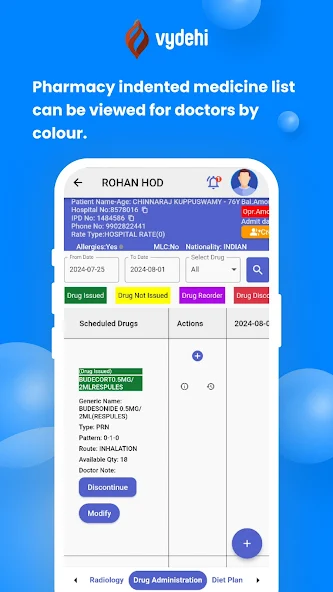
Indented Medicine List: Doctors can view medications indented based on colour codes like - issued drugs, not issued, continue, discontinue, and modifying drugs.
Reorder Drugs: Doctors can reorder needed drugs, with a detailed popup for specifications.
Drug Log: Shows the log of indented drugs.
Action Buttons: Provide options to view, delete, and submit scheduled drugs.
Documents :
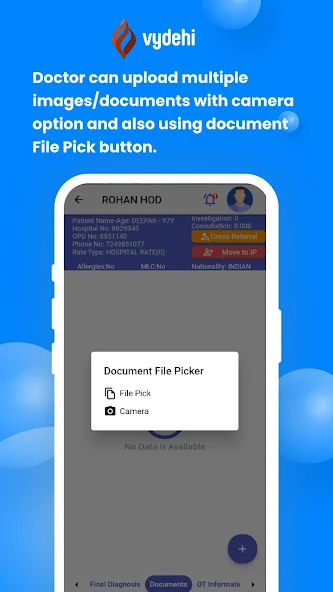
Upload and View Documents: Doctors can upload multiple images/documents using the camera option or document file pick button is also provided. Click on the eye symbol to view the uploaded document.
Final Diagnosis
Add Diagnosis: Doctors can add diagnosis ICD/CPT details and view them.
This app ensures efficient hospital management by offering a user-friendly interface for managing patient records, notes, prescriptions, and more, making it an essential tool for healthcare professionals.
You can find us on www.vims.ac.in or write to us at [email protected]
Below is a detailed description of the Doctor App.
Dashboard
Department Counts Displays the count of patients registered under the unit chief for both OP and IP for that particular department.
View All Shows the count of complete patient list (both OP and IP).
My List Displays patients assigned or registered under the user.
Date Selection Allows selecting specific dates for viewing patient data.
Patient Details :
Detail Screen: Access detailed patient information (demographic details like name , gender, age, etc) by clicking on the hospital number from list screen and change the patient arrival status to enter notes.
Cross Referral :
Referral Process: Allows referral to other departments or doctors without restrictions. For OP, the patient must visit MRD to pay before visiting the doctor(if consultation charges are applicable). For IP, the amount is deducted from the IP advance (the amount that was deposited during registration).
Notes Entry :
Templates: Doctors can enter notes using templates like History and Physical, Progress Record, Consultation Notes, OT Notes, Post-Operative, Death Notes, and Dietitian Notes.
Vital Signs: Vital signs entry with some mandatory fields include BP, Temperature, Pulse, and RR.
Save/Next and Delete Options: Options available for each tab with confirmation pop-ups for deletions with reason.
Document Upload: Upload documents and photos, view them, and delete with a reason.
Quick Links :
Lab Details: Add lab details to notes, highlighting critical results. Displays the latest 48-hour data.
Post Operative Notes
Tabs:
Each tab has individual delete options. Notes can be drafted, cleared, or signed.
Discharge Summary
Templates: Doctors can select and finalize discharge summary templates.
Visit Details :
This tab gives access to view the added notes and then edit them , copy and create or delete accordingly.
Investigation Screen :
Add Investigations: Doctors can add investigations based on patient condition and view details of indented procedures / investigations. Investigations by PG, IMO need confirmation by a doctor.
Prescription OP
Add Prescriptions: Doctors can add and view added prescriptions details based on patient condition.
Pharmacy IP
Manage Pharmacy: Doctors can add and manage pharmacy orders. Investigations by PG, IMO need confirmation by a doctor.
Order History :
Order Management: Displays investigation, pharmacy, diet plan, and blood request lists with details. Doctors can reorder and cancel any placed orders with some validations.
Lab Results :
Lab Data: Displays lab result details with critical results highlighted in red colour (both high and low).
Drug Administration
Indented Medicine List: Doctors can view medications indented based on colour codes like - issued drugs, not issued, continue, discontinue, and modifying drugs.
Reorder Drugs: Doctors can reorder needed drugs, with a detailed popup for specifications.
Drug Log: Shows the log of indented drugs.
Action Buttons: Provide options to view, delete, and submit scheduled drugs.
Documents :
Upload and View Documents: Doctors can upload multiple images/documents using the camera option or document file pick button is also provided. Click on the eye symbol to view the uploaded document.
Final Diagnosis
Add Diagnosis: Doctors can add diagnosis ICD/CPT details and view them.
This app ensures efficient hospital management by offering a user-friendly interface for managing patient records, notes, prescriptions, and more, making it an essential tool for healthcare professionals.
You can find us on www.vims.ac.in or write to us at [email protected]
Updated on
Mar 05, 2026
MEDICAL
