

Intilaqa_uat

Intilaqa_uat icon
4.3
2 reviews
2
Downloads
118.8 MB
Size
12+
Year Old
Install
Share

About this app

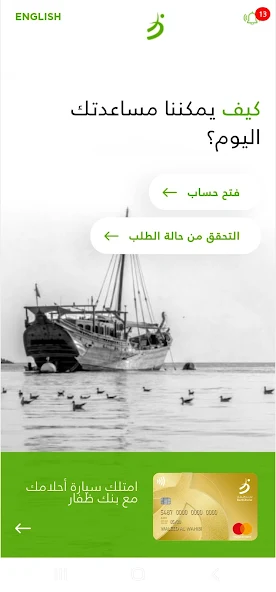
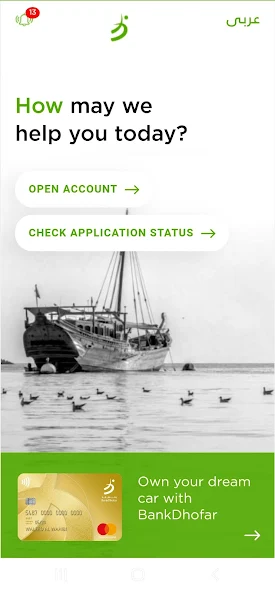
With BankDhofar Intilaqa App, you are welcome to start your banking relationship with BankDhofar in minutes. It is fast, easy and secure.
Open your BankDhofar Savings Account through the App today with simple steps:
1. Enter your mobile number.
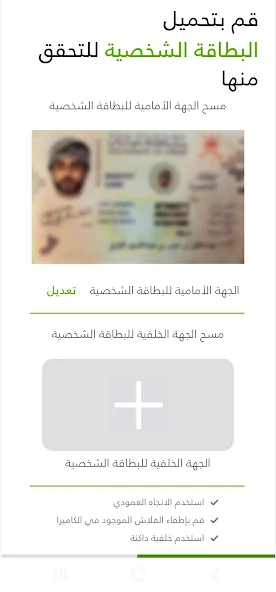
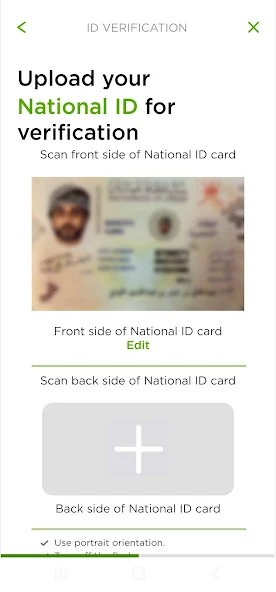
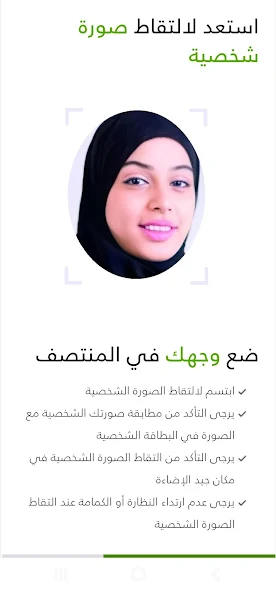
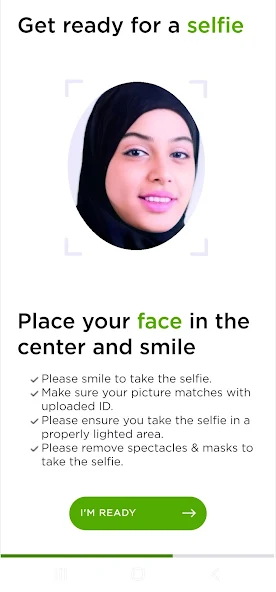
2. Scan your ID card/Passport.
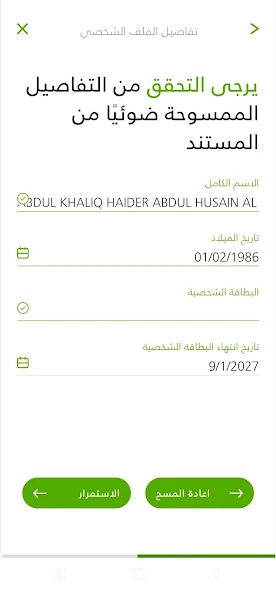
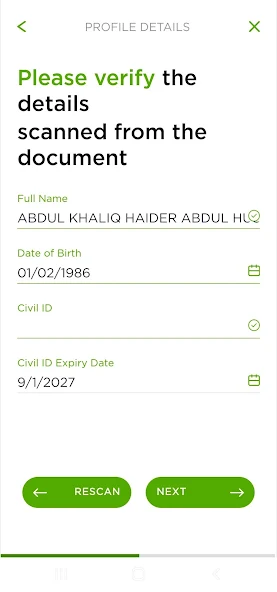
3. Check and verify your personal details.
4. Fill out & upload your documents for verification.
5. Sign or Upload your digital signature and select your card delivery method.
6. Confirmation SMS will be sent to your mobile number.

3. Check and verify your personal details.
4. Fill out & upload your documents for verification.
5. Sign or Upload your digital signature and select your card delivery method.
6. Confirmation SMS will be sent to your mobile number.

Updated on

May 12, 2026

BUSINESS

Ratings and reviews

4.3
2 reviews
5
4
3
2
1
Abc Xyz
July 22, 2024
The interface is good and the shopping is super smooth.
12efa asd
July 22, 2024
Great experience, great deals.

App support

Website
Support email

Similar apps

APP_NAME
APP_DEVELOPER
4.3
Intilaqa_uat icon
Intilaqa_uat
Share this app
X
Facebook
WhatsApp
Email
Copy
Intilaqa_uat icon
Intilaqa_uat
About this app
With BankDhofar Intilaqa App, you are welcome to start your banking relationship with BankDhofar in minutes. It is fast, easy and secure.
Open your BankDhofar Savings Account through the App today with simple steps:
1. Enter your mobile number.
2. Scan your ID card/Passport.
3. Check and verify your personal details.
4. Fill out & upload your documents for verification.
5. Sign or Upload your digital signature and select your card delivery method.
6. Confirmation SMS will be sent to your mobile number.

3. Check and verify your personal details.
4. Fill out & upload your documents for verification.
5. Sign or Upload your digital signature and select your card delivery method.
6. Confirmation SMS will be sent to your mobile number.
Version
1.0.0
Updated on
May 12, 2026
Released on
May 12, 2026
Downloads
2 downloads
Intilaqa_uat icon

Intilaqa_uat

Version:1.0.0 (build 1)
Intilaqa_uat QRcode
App installation is in progress
Installing...
App download will begin in a moment, please wait... If it doesn\'t, please restart the download.
Install

Or use your mobile to scan the QR code to install


About

Size
118.8 MB
Publish at
2026-05-12
Version
1.0.0
Build
1

With BankDhofar Intilaqa App, you are welcome to start your banking relationship with BankDhofar in minutes. It is fast, easy and secure.
Open your BankDhofar Savings Account through the App today with simple steps:
1. Enter your mobile number.
2. Scan your ID card/Passport.
3. Check and verify your personal details.
4. Fill out & upload your documents for verification.
5. Sign or Upload your digital signature and select your card delivery method.
6. Confirmation SMS will be sent to your mobile number.

3. Check and verify your personal details.
4. Fill out & upload your documents for verification.
5. Sign or Upload your digital signature and select your card delivery method.
6. Confirmation SMS will be sent to your mobile number.
Expand

Intilaqa_uat Screenshots1
Intilaqa_uat Screenshots2
Intilaqa_uat Screenshots3
Intilaqa_uat Screenshots4
Intilaqa_uat Screenshots5
Intilaqa_uat Screenshots6
Intilaqa_uat Screenshots7
Intilaqa_uat Screenshots8