The interface is good and the shopping is super smooth.
More
12efa asd
July 22, 2024
Great experience, great deals.
More
App Privacy
The developer indicated that the app’s privacy practices may include handling of data as described below. For more information, see the developer’s privacy policy.。
Data Linked to You
The following data may be collected and linked to your identity:
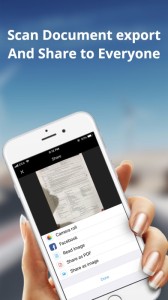
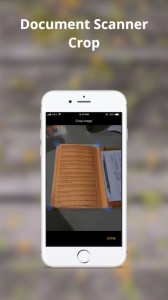
Scan documents in seconds, draw lines, enter texts, fill forms, and sign.
Share as PDF / JPEG by email, WiFi file sharing, cloud storages, webdav, and fax.
Scan:
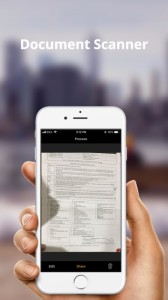
- Quickly scan paper documents, whiteboards, business cards, books, posters, receipts, and everything to make them sharp and clear to read.
- Auto detect document boundary to correct the perspective distortions efficiently.
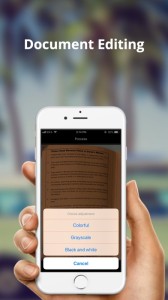
- Remove background shadows and sharpen text in the "Color" / "B & W" mode.
- Adjust photo brightness and color saturation in the "Photo" mode.
Save & Print:
- All scans are saved as JPEG files and can be exported as PDF files from selected pages.
- Print scans wirelessly in AirPrint supported printers.
LOADLY.IOTips.
1. This application comes from a third-party product and its content is not controlled by LOADLY, so please screen it carefully and install it with caution. LOADLY internal testing service platform provides application testing hosting and application crash detection services for third-party applications. LOADLY only provides internal testing support for third-party applications, and does not involve any manual editing or collation, nor does it participate in the content development or external operation of any application, and does not have any affiliation with third-party applications, and does not provide any guarantee or commitment.
2. Please check the quality of applications carefully, and do not install applications from unreliable sources because of spam, emails, text descriptions, etc. Please make your own judgement and install trusted applications based on the source of the application installation link. LOADLY is not responsible for the rules, policies, or specific content of applications published through LOADLY or links to other sites displayed on LOADLY. LOADLY shall not be liable for any investment or purchase made as a result, click here to see more.
Tips.
1. This application comes from a third-party product and its content is not controlled by LOADLY, so please screen it carefully and install it with caution. LOADLY internal testing service platform provides application testing hosting and application crash detection services for third-party applications. LOADLY only provides internal testing support for third-party applications, and does not involve any manual editing or collation, nor does it participate in the content development or external operation of any application, and does not have any affiliation with third-party applications, and does not provide any guarantee or commitment.
2. Please check the quality of applications carefully, and do not install applications from unreliable sources because of spam, emails, text descriptions, etc. Please make your own judgement and install trusted applications based on the source of the application installation link. LOADLY is not responsible for the rules, policies, or specific content of applications published through LOADLY or links to other sites displayed on LOADLY. LOADLY shall not be liable for any investment or purchase made as a result, click here to see more.