The interface is good and the shopping is super smooth.
More
12efa asd
July 22, 2024
Great experience, great deals.
More
App Privacy
The developer indicated that the app’s privacy practices may include handling of data as described below. For more information, see the developer’s privacy policy.。
Data Linked to You
The following data may be collected and linked to your identity:
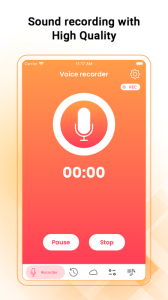
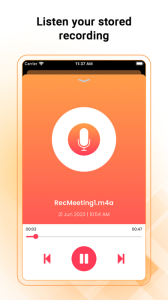
Voice Recorder - Audio Memos & Voice Notes is a full-featured recording app with a streamlined and simple user interface. Press the big recording button to record; press it again to stop and manage your recordings, all with just a fingertip.
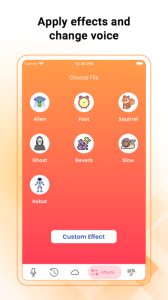
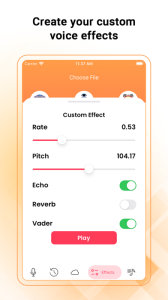
Record meetings, conversations, lectures, and more in the easiest way. You can email recordings from Voice Recorder. It also supports direct file sharing through iTunes. and you can modify your sound by adding effects and changing speed, pitch echo, etc.
Features:
● One Touch Recording
● Supports Background Recording (you can use other apps while recording)
● Record, Pause, and Resume
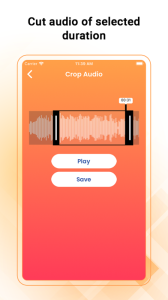
● Trim Audio
● Sound Effects
● Record Timer and Playback Counter
● voice changer and create effects
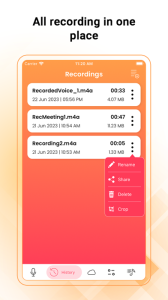
● Set Label for recorded audio and also provide rename feature
● Use the device’s inbuilt or Add-On Mic
● Drag Slider for Seek/Forward/Rewind
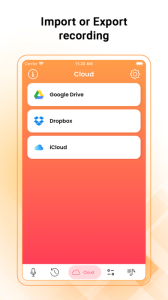
● Email your recordings directly from this app
● Delete voice memo at any time from the file listing
● Transfer files using iTunes File Sharing
● File sharing / sending files in another app “Open in”
● Unlimited recording time
● High-quality audio recording
● Provide various themes in the app
Settings:
● Record audio with Low, Medium, and High quality
● Passcode Lock for the security of your recorded voice memos
Uses:
● Record a lecture or meeting so that you can transcribe it later
● Play a practical joke or impress a friend
● Always have proof of key conversations in case required in future
● Record conversations when you are in or out of the room
Microphone Privacy:
iOS Settings > Privacy > Microphone > Voice Recorder make it “ON”
Disclaimer:
We do not condone using Audio Recorder to break laws or intrude on private conversations. Please use the app responsibly.
LOADLY.IOTips.
1. This application comes from a third-party product and its content is not controlled by LOADLY, so please screen it carefully and install it with caution. LOADLY internal testing service platform provides application testing hosting and application crash detection services for third-party applications. LOADLY only provides internal testing support for third-party applications, and does not involve any manual editing or collation, nor does it participate in the content development or external operation of any application, and does not have any affiliation with third-party applications, and does not provide any guarantee or commitment.
2. Please check the quality of applications carefully, and do not install applications from unreliable sources because of spam, emails, text descriptions, etc. Please make your own judgement and install trusted applications based on the source of the application installation link. LOADLY is not responsible for the rules, policies, or specific content of applications published through LOADLY or links to other sites displayed on LOADLY. LOADLY shall not be liable for any investment or purchase made as a result, click here to see more.
Tips.
1. This application comes from a third-party product and its content is not controlled by LOADLY, so please screen it carefully and install it with caution. LOADLY internal testing service platform provides application testing hosting and application crash detection services for third-party applications. LOADLY only provides internal testing support for third-party applications, and does not involve any manual editing or collation, nor does it participate in the content development or external operation of any application, and does not have any affiliation with third-party applications, and does not provide any guarantee or commitment.
2. Please check the quality of applications carefully, and do not install applications from unreliable sources because of spam, emails, text descriptions, etc. Please make your own judgement and install trusted applications based on the source of the application installation link. LOADLY is not responsible for the rules, policies, or specific content of applications published through LOADLY or links to other sites displayed on LOADLY. LOADLY shall not be liable for any investment or purchase made as a result, click here to see more.