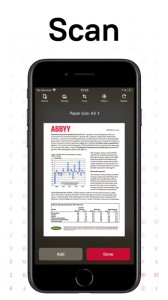
ABBYY FineReader PDF Pro - the first smart AI-powered scanner that turns your mobile device into an all-purpose tool to quickly capture docs and books, create electronic copies in PDF and JPEG, and extract texts from scans for further editing and sharing.
FineReader PDF Pro - the top mobile scanner for iPhone or iPad from ABBYY, a Digital Intelligence company.
*** Ranked #1 Business application in 98 countries ***
*** Winner of SUPERSTAR Award in the "Document Capture" category in the Mobile Star Awards ***
Use FineReader PDF Pro to scan paper documents, books, agreements, receipts, magazine articles, notes, recipes, charts, tables, slides, whiteboards, or even billboards on the street and get perfect digital copies.
KEY FEATURES
• PDF & JPEG. Scan any text and save scans to JPEG images or cross-platform PDF documents.
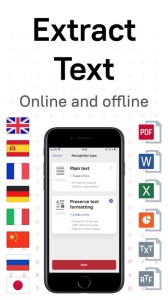
• OFFLINE OCR. Quickly extract text from scans into TXT format on your device without an internet connection.
• ONLINE OCR. Recognize text (OCR) on scans in 183 languages (including Latin, Cyrillic, Chinese, Japanese, and Korean alphabets) and choose from among 4 output formats.
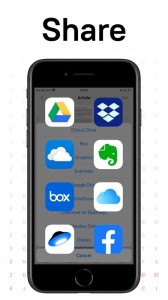
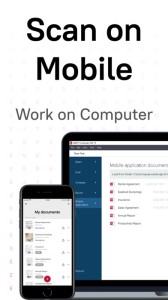
• SHARE & EXPORT. Send results by email, to FineReader PDF for Windows, save in cloud storages - iCloud Drive, Dropbox, Google Drive, Yandex.Disk, Evernote, OneDrive for Business, and more.
• LIVE TEXT. Make phone calls, send emails, follow the links, and more from scanned docs.
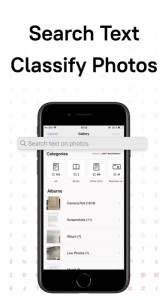
• ABBYY NEURAL NETWORK. The smart gallery will automatically classify documents into 7 types: A4, books, business cards, handwritten, IDs, other docs, and receipts.
• SEARCH TEXT ON PHOTOS. Type the text from a photo into a Search field in the gallery. FineReader PDF Pro will find photos that have this text.
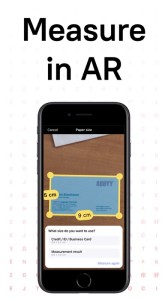
• AR RULER. Define doc size in AR. It will be useful for non-standard documents and further printing them out in proper proportions.
• SIRI SHORTCUTS. Open scans with Siri and set the flow of actions with scans using Shortcuts app.
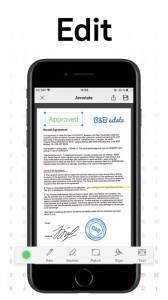
• ANNOTATE SCANS. Discover a set of easy-to-use tools to modify your PDFs: add your signature or a text box, use a highlighter, write with a pen, or conceal content with the redaction tool.
• 3D TOUCH & SPOTLIGHT SEARCH SUPPORT.
• PASSWORD ON PDF. Add a password for the image-only PDF files while exporting and sending via email.
• MULTIPAGE DOCS. Create, edit, and enhance separate images or large multi-page documents without any additional selection on the viewfinder.
• AUTO-CAPTURE AND FILTERS. Excellent visual quality with auto-capture of page boundaries and advanced image filters, which process scans in color, greyscale, or black-and-white versions.
• BUILT-IN FILE STORAGE. Save scans inside the app with tags and search capabilities.
• Transfer docs to your Mac or PC using Home Sharing.
• AIRPRINT. Print out scans directly from your iPhone or iPad.
Read us:
abbyy.com/blog/mobile
Facebook.com/ABBYYsoft
Twitter @ABBYY_Software
YouTube.com/ABBYYvideos
Do you like FineReader PDF Pro? Please leave a review!