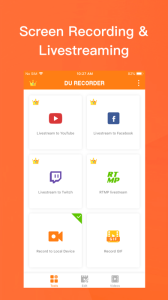
DU Recorder is a reliable, and easy-to-use stream creator and screen recorder. With DU Recorder , you can livestream your screen to YouTube, Facebook and Twitch and record screen videos. DU Recorder makes it easy to livestream and record content from your screen, like games, live shows, sports, and more.
Advantages:
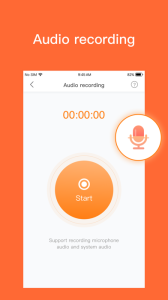
- Support audio recording
- Livestream your screen to different platforms
- High-quality screen recording
- Powerful video editing features
Features:
Livestream to YouTube, Facebook and Twitch
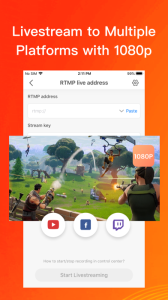
Add the screen recording feature to your control center. Simply log in to your YouTube, Facebook and Twitch account, choose the settings as you want, and start livestreaming to YouTube, Facebook and Twitch via the screen recording feature! These handy options give you a better livestreaming experience:
- Support simultaneous recording of microphone and internal audio
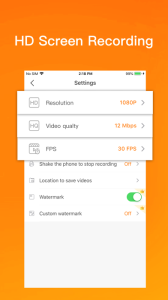
- High-quality livestreaming, with various resolution options
- Set your livestream to public, unlisted, or private to protect privacy
- Supports RTMP address
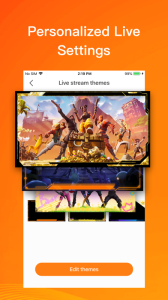
- A variety of live tools: Custom watermark, live themes, live pause settings and more
- Supports Replaykit, for livestreaming directly from Replaykit-compatible games
Screen Recording
Add the screen recording feature to your control center, tap the Record button, and choose DU Recorder to record your screen and save videos to your device. DU Recorder provides stable and fluid screen recording. With this screen recording feature, you can easily record popular mobile game videos, video calls with family and friends, and even popular live shows!
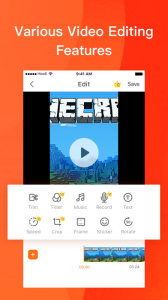
Video Editing
You can easily perform the following video editing operations with the screen recorder:
- Trim video/Remove the middle part of the video
- Add music, choose from a huge variety of music
- Add text, custom video subtitles
- Add frames and stickers, also support adding local images and custom watermark to your videos
- Change speed, adjust video speed of different sections
- Voice recording, help you make a commentary video
- Filters, add a variety of filter effects to your video
- Crop video, crop videos to any ratio you want
- Merge multiple videos and choose from various transition effects
- Video to GIF, convert video formats to GIF
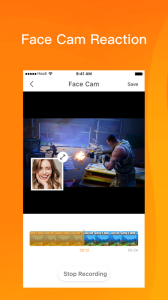
- Supports facecam, you can record reaction videos with the facecam feature
DU Recorder Premium
- Join now and enjoy all the features!
- Included features:Remove watermark, Custom watermark, Custom pause picture, Speed, Crop, RTMP broadcast, VIP feedback channel and more wonderful content.
- When you purchase DU Recorder Premium, you will use all paid features and materials.
- DU Recorder Premium is billed monthly or annually at the rate corresponding to the selected plan.
- Payment will be charged to your iTunes account at confirmation of purchase.
- According to the Apple Store policy, your subscription will be automatically renewed after the free trial ends.
- Subscriptions will automatically renew unless auto-renew is turned off at least 24 hours before the end of current period.
- Your account will be charged according to your plan for renewal within 24 hours prior to the end of the current period. You can manage or turn off auto-renew in your Apple ID account settings at any time after purchase.
- Privacy policy: http://durecorder.do-global.com/privacy/privacyPolicy.html
- Terms of use: http://durecorder.do-global.com/privacy/UserAgreement.html
If you have any comments or suggestions about DU Recorder, please contact us at
[email protected]. Your feedback is appreciated!
Follow us on Facebook: https://www.facebook.com/DURecorderOfficial
Subscribe to our YouTube channel: https://www.youtube.com/channel/UCtvNkr4kV3GAEHAFqe5UocQ